
Best Devices for IPTV in 2026: Firestick vs Android Box vs Apple TV vs Nvidia Shield
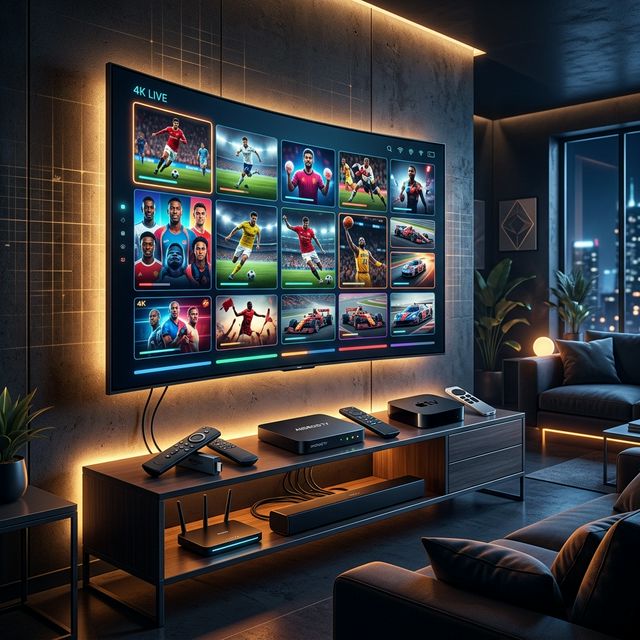
Choosing the Right Device for IPTV
🔥 Stop Searching, Start Streaming!
Why settle for buffering and locked channels? Venom IPTV gives you access to 35,000+ premium channels, global sports in 4K, and a massive VOD library.
View Pricing PlansYour IPTV experience is only as good as the device powering it. A premium IPTV subscription paired with a weak, outdated streaming device will result in buffering, crashes, and poor picture quality — regardless of your internet speed.
In 2026, there are four main categories of IPTV streaming devices. This guide compares them head-to-head so you can choose the best one for your needs and budget.
The Top IPTV Devices Compared
| Device | Price | Processor | RAM | Storage | Ethernet | 4K HDR | Best For |
|---|---|---|---|---|---|---|---|
| Fire TV Stick 4K Max | $55 | MT8696 | 2 GB | 16 GB | Adapter ($15) | ✅ | Best value |
| Nvidia Shield Pro | $199 | Tegra X1+ | 3 GB | 16 GB | ✅ Gigabit | ✅ | Power users |
| Apple TV 4K (3rd gen) | $129 | A15 Bionic | 4 GB | 64/128 GB | ✅ Gigabit | ✅ | Apple ecosystem |
| Xiaomi Mi Box S | $45 | Cortex-A53 | 2 GB | 8 GB | ❌ | ✅ | Budget option |
| Formuler Z11 Pro | $140 | S905X4 | 4 GB | 32 GB | ✅ Gigabit | ✅ | Dedicated IPTV |
| BuzzTV XRS 4500 | $130 | S905X4 | 4 GB | 32 GB | ✅ Gigabit | ✅ | Dedicated IPTV |
1. Amazon Fire TV Stick 4K Max — Best Overall Value
The Firestick 4K Max is the most popular IPTV device in the world — and for good reason. It offers excellent performance at an unbeatable price.
Pros:
- Incredibly affordable at $55
- Supports Wi-Fi 6 for faster wireless streaming
- Runs Fire OS (Android-based) with access to thousands of apps
- TiviMate, IPTV Smarters, and XCIPTV all available via sideloading
- Native VPN app support (NordVPN, ExpressVPN, IPVanish)
- Compact and portable — take it anywhere
Cons:
- Only 2 GB RAM — can struggle with heavy multitasking
- No built-in Ethernet (adapter required, $15 extra)
- 16 GB storage fills up quickly with sideloaded apps
Best for: Most IPTV users. The Firestick 4K Max is the sweet spot of price, performance, and app compatibility.
2. Nvidia Shield Pro — Best for Power Users
The Nvidia Shield Pro is the undisputed king of Android TV streaming devices. Its Tegra X1+ processor handles everything you throw at it with zero lag.
Pros:
- Most powerful Android streaming device available
- AI upscaling converts HD content to near-4K quality
- Built-in Gigabit Ethernet for rock-solid wired connections
- Runs full Android TV with Google Play Store access
- Doubles as a Plex server for local media
- USB 3.0 ports for external storage
- Works flawlessly with TiviMate, Smarters, and all IPTV apps
Cons:
- Expensive at $199
- Overkill if you only use IPTV
- Large form factor compared to Firestick
Best for: Power users who want the absolute best performance, AI upscaling, and Plex server functionality alongside IPTV.
3. Apple TV 4K — Best for Apple Ecosystem Users
The Apple TV 4K is a premium device with the most powerful processor of any streaming box. However, its IPTV app selection is more limited than Android platforms.
Pros:
- A15 Bionic chip — fastest processor in any streaming device
- Built-in Gigabit Ethernet
- 4 GB RAM — handles everything smoothly
- Premium aluminum build quality
- AirPlay support for mirroring from iPhone/iPad/Mac
- Dolby Vision, HDR10+, and Dolby Atmos support
Cons:
- $129 price tag
- No TiviMate — limited to Smarters, GSE, iPlayTV
- No sideloading — restricted to App Store apps
- No native VPN apps for most providers
- Limited IPTV app ecosystem compared to Android
Best for: Users already deep in the Apple ecosystem who value build quality and raw processing power over IPTV app variety.
4. Budget Android TV Boxes — Best for Tight Budgets
Devices like the Xiaomi Mi Box S and various generic Android boxes offer an affordable entry point into IPTV.
Pros:
- Very affordable ($35-60)
- Full Android TV with Google Play Store
- TiviMate and all major IPTV apps available
- Bluetooth remote included
Cons:
- Weak processors that struggle with 4K content
- Limited RAM (often 2 GB or less)
- No Ethernet port on most budget models
- Slower app loading and channel switching
- Shorter product lifespan and fewer software updates
Best for: Users on a tight budget who primarily watch SD or HD content and do not need 4K performance.
5. Dedicated IPTV Boxes — Formuler and BuzzTV
Devices like the Formuler Z11 Pro and BuzzTV XRS 4500 are purpose-built for IPTV with custom middleware and optimized hardware.
Pros:
- Custom IPTV-optimized OS (MyTVOnline for Formuler, BuzzTV OS)
- 4 GB RAM and 32 GB storage
- Built-in Gigabit Ethernet
- Pre-installed, optimized IPTV player
- Dedicated EPG and catch-up TV features
- Faster channel switching than general Android boxes
Cons:
- More expensive ($130-150) than Firestick
- Less flexible — designed primarily for IPTV, not general streaming
- Fewer third-party apps compared to standard Android TV
- Niche product — less community support
Best for: Users who want a plug-and-play, dedicated IPTV experience without dealing with sideloading or app configuration.
Which Device Should You Buy?
| Your Situation | Recommended Device |
|---|---|
| Best overall value | Fire TV Stick 4K Max ($55) |
| Maximum performance, no compromises | Nvidia Shield Pro ($199) |
| Deep Apple ecosystem user | Apple TV 4K ($129) |
| Tight budget, HD only | Xiaomi Mi Box S ($45) |
| Dedicated IPTV, no setup hassle | Formuler Z11 Pro ($140) |
| Already own a Smart TV | No device needed — use TV’s built-in apps |
Essential Accessories for IPTV
Regardless of which device you choose, these accessories improve your experience:
- Ethernet adapter (for Firestick) — eliminates Wi-Fi instability
- USB-C hub (for Shield Pro) — adds external storage for recordings
- Wireless keyboard — makes entering Xtream Codes credentials 10x faster
- HDMI 2.1 cable — required for true 4K HDR pass-through
- VPN subscription — prevents ISP throttling on all devices
[!IMPORTANT] Ready to experience the ultimate TV package? Join over 12,000 satisfied customers who have switched to Venom IPTV. We offer dedicated 24/7 support, anti-freeze servers, and instant activation for all devices.
Frequently Asked Questions
Do I need a 4K device for IPTV?
Not necessarily. If most of your channels are HD (1080p), a standard Firestick or budget Android box is sufficient. However, if your provider offers 4K channels and you have a 4K TV, a 4K-capable device ensures you get the best picture quality.
Is Firestick better than Android box for IPTV?
For most users, yes. The Firestick 4K Max offers excellent performance at $55 with VPN app support and Wi-Fi 6. Generic Android boxes are cheaper but often have weaker processors and no Ethernet.
Can I use my gaming console for IPTV?
Some IPTV apps are available for Xbox (via Microsoft Store) and PlayStation (limited). However, the experience is suboptimal compared to dedicated streaming devices.
Conclusion
For 90% of IPTV users, the Amazon Fire TV Stick 4K Max is the best choice — affordable, powerful enough for 4K, and compatible with every major IPTV app. Power users should invest in the Nvidia Shield Pro for the ultimate Android TV experience. Apple fans can use the Apple TV 4K but should be prepared for a more limited IPTV app selection.
Choose your device, pair it with a premium IPTV subscription and a VPN, and enjoy the best television experience money can buy.
Ready to Cut the Cord?
Experience premium IPTV with 35,000+ channels in 4K quality. No buffering, no contracts.
Get Started NowYou Might Also Like
The Best IPTV Apps for Android TV in 2026
Discover the top-rated, fastest, and most feature-rich IPTV players designed specifically for Android TV interfaces.
Best IPTV Apps for Smart TV in 2026: Samsung, LG, Sony, and Android TV
Discover the best IPTV apps for Smart TVs in 2026. Full guide covering Samsung Tizen, LG webOS, Sony Android TV, and how to install each app.
Best IPTV for Arabic Channels in 2026: MBC, BeIN Sports, OSN, and More
Find the best IPTV subscription for Arabic channels in 2026. Stream MBC, BeIN Sports, OSN, Al Jazeera, and 3000+ Arabic channels with crystal-clear quality.
Best IPTV for Canada in 2026: Canadian Channels, Sports, and French Content
Discover the best IPTV subscription for Canadian channels in 2026. Stream TSN, Sportsnet, CBC, CTV, RDS, and French-language content with no buffering.

Best IPTV for Live Sports in 2026: Football, UFC, NBA, NFL, and F1
Find the best IPTV subscription for live sports streaming in 2026. Expert guide covering Premier League, UFC, NBA, NFL, F1, and cricket with zero buffering.
Best IPTV for French Channels in 2026: TF1, Canal+, BeIN Sports, and RMC
Find the best IPTV for French channels in 2026. Stream TF1, France 2, Canal+, BeIN Sports, and 1000+ French channels from France or abroad with no satellite dish.