
Best IPTV Apps for Smart TV in 2026: Samsung, LG, Sony, and Android TV
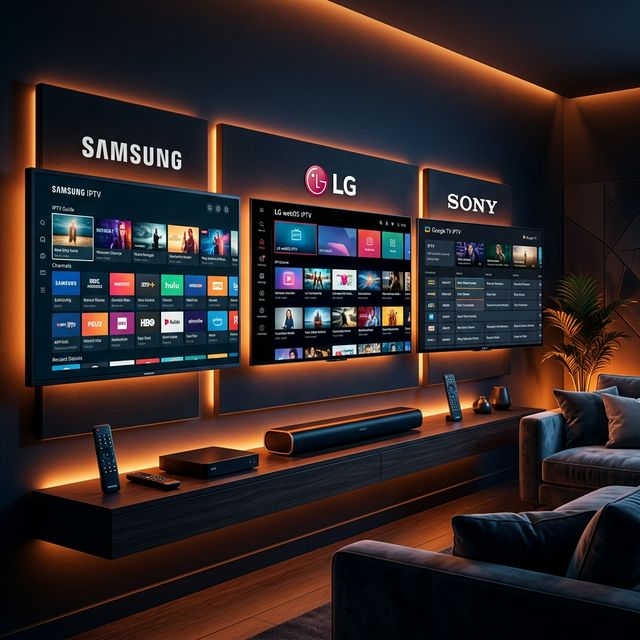
Finding the Right IPTV App for Your Smart TV
🔥 Stop Searching, Start Streaming!
Why settle for buffering and locked channels? Venom IPTV gives you access to 35,000+ premium channels, global sports in 4K, and a massive VOD library.
View Pricing PlansYour Smart TV is one of the most convenient devices for watching IPTV. No external hardware needed — just download an app, enter your subscription credentials, and start streaming.
However, not all Smart TVs run the same operating system. Samsung uses Tizen OS, LG uses webOS, and Sony runs Android TV — each with its own app ecosystem. This guide covers the best apps for each platform.
Best IPTV Apps for Samsung Smart TV (Tizen OS)
1. Smart IPTV (SIPTV)
The most widely used IPTV app on Samsung TVs. Supports M3U playlists and is extremely easy to configure.
Setup: Download from Samsung App Store → Note MAC address → Visit siptv.app → Enter MAC and M3U URL → Channels load instantly.
- Clean interface, fast channel loading, EPG support
- One-time activation fee of ~$5.49
2. IBO Player
Modern alternative with Netflix-style interface. Supports both M3U and Xtream Codes API.
Setup: Download from Samsung App Store → Note Device ID/Key → Visit iboplayer.com → Add playlist → Restart app.
3. Flix IPTV
Polished dark-mode experience with excellent VOD categorization.
Setup: Download from Samsung App Store → Note MAC → Visit flixiptv.cc → Add playlist → Refresh.
Best IPTV Apps for LG Smart TV (webOS)
1. Smart IPTV
Works identically to the Samsung version. Download from LG Content Store, upload playlist via siptv.app.
2. IBO Player
Also available on LG webOS. Identical setup to Samsung version.
3. Duplex IPTV
Feature-rich option with Xtream Codes API, built-in EPG, parental controls, multi-language subtitles, and catch-up TV.
Best IPTV Apps for Sony / Android TV
Sony runs Android TV with full Google Play Store access — the most IPTV-friendly ecosystem.
1. TiviMate — Best Overall
The gold standard. EPG grid, lightning-fast switching, recording, PiP mode, catch-up TV, and favorites.
2. IPTV Smarters Pro
Netflix-style visual interface with easy Xtream Codes login. Available free on Play Store.
3. XCIPTV
Beautiful dark interface with ExoPlayer backend for smooth VOD streaming.
4. OTT Navigator
Most customizable — granular control over buffers, EPG sources, and quality settings.
App Comparison Table
| App | Samsung | LG | Android TV | Xtream Codes | M3U | EPG | Price |
|---|---|---|---|---|---|---|---|
| Smart IPTV | ✅ | ✅ | ❌ | ❌ | ✅ | ✅ | $5.49 |
| IBO Player | ✅ | ✅ | ✅ | ✅ | ✅ | ✅ | Free |
| Flix IPTV | ✅ | ✅ | ❌ | ✅ | ✅ | ✅ | Free trial |
| Duplex IPTV | ✅ | ✅ | ✅ | ✅ | ✅ | ✅ | Free trial |
| TiviMate | ❌ | ❌ | ✅ | ✅ | ✅ | ✅ | $5.49/yr |
| Smarters Pro | ❌ | ❌ | ✅ | ✅ | ✅ | ✅ | Free |
Smart TV IPTV Tips
- Use Ethernet over Wi-Fi when your TV has a wired port
- Clear app cache regularly to prevent slowdowns
- Configure VPN on your router since Smart TVs rarely support VPN apps natively
- Update TV firmware regularly for best app compatibility
[!IMPORTANT] Ready to experience the ultimate TV package? Join over 12,000 satisfied customers who have switched to Venom IPTV. We offer dedicated 24/7 support, anti-freeze servers, and instant activation for all devices.
Frequently Asked Questions
Can I install TiviMate on Samsung or LG TV?
No. TiviMate is Android-only. For Samsung and LG, use IBO Player, Flix IPTV, or Smart IPTV.
Do I need a Firestick if I have a Smart TV?
Not necessarily, but a Firestick or Android box often provides a smoother experience with better VPN app support.
How do I add a VPN to my Smart TV?
Configure the VPN on your router to protect all devices, or use a Firestick/Android box with a VPN app plugged into your TV.
What is the best free IPTV app for Smart TV?
IBO Player and IPTV Smarters Pro are both free and excellent.
Conclusion
Samsung and LG users should try IBO Player or Flix IPTV. Sony/Android TV owners have access to TiviMate — the ultimate IPTV app. Pair any of these with a premium IPTV subscription for the best experience.
Ready to Cut the Cord?
Experience premium IPTV with 35,000+ channels in 4K quality. No buffering, no contracts.
Get Started NowYou Might Also Like
TiviMate Setup Guide 2026: The Ultimate IPTV Player for Android and Firestick
Master TiviMate with this complete 2026 setup guide. Learn installation, Xtream Codes configuration, EPG setup, recording, and premium features on Firestick and Android TV.
Best Devices for IPTV in 2026: Firestick vs Android Box vs Apple TV vs Nvidia Shield
Compare the best streaming devices for IPTV in 2026. In-depth review of Firestick 4K Max, Nvidia Shield Pro, Apple TV 4K, and budget Android boxes.
The Best IPTV Apps for Android TV in 2026
Discover the top-rated, fastest, and most feature-rich IPTV players designed specifically for Android TV interfaces.

Best IPTV for Arabic Channels in 2026: MBC, BeIN Sports, OSN, and More
Find the best IPTV subscription for Arabic channels in 2026. Stream MBC, BeIN Sports, OSN, Al Jazeera, and 3000+ Arabic channels with crystal-clear quality.
Best IPTV for Canada in 2026: Canadian Channels, Sports, and French Content
Discover the best IPTV subscription for Canadian channels in 2026. Stream TSN, Sportsnet, CBC, CTV, RDS, and French-language content with no buffering.

Best IPTV for Live Sports in 2026: Football, UFC, NBA, NFL, and F1
Find the best IPTV subscription for live sports streaming in 2026. Expert guide covering Premier League, UFC, NBA, NFL, F1, and cricket with zero buffering.