
IPTV for Beginners: A Complete Getting Started Guide in 2026
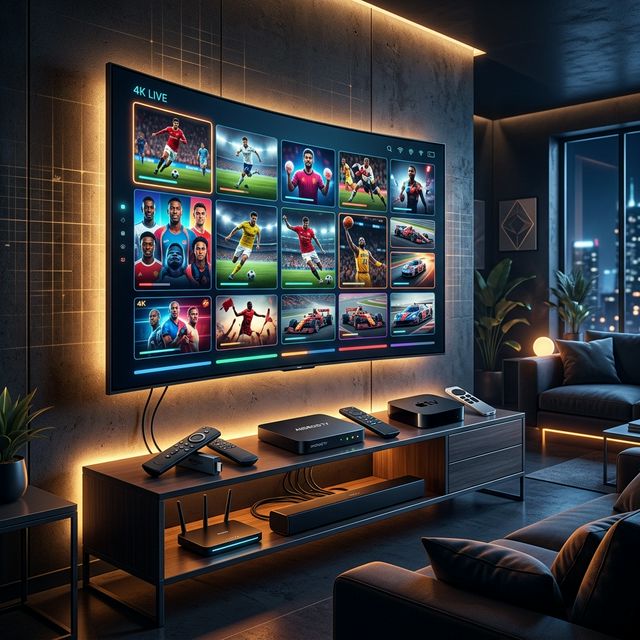
Welcome to the World of IPTV
🔥 Stop Searching, Start Streaming!
Why settle for buffering and locked channels? Venom IPTV gives you access to 35,000+ premium channels, global sports in 4K, and a massive VOD library.
View Pricing PlansIf you have heard about IPTV but are not sure where to start, you are in the right place. This guide is written specifically for beginners who want to understand what IPTV is, what equipment they need, how to choose a provider, and how to set everything up — all in plain, simple language.
By the end of this article, you will be ready to stream thousands of live TV channels and on-demand movies on any device in your home.
What Is IPTV in Simple Terms?
IPTV stands for Internet Protocol Television. It is simply a way of watching TV channels and movies using your internet connection instead of a cable box or satellite dish.
Think of it like this:
- Cable TV = TV shows delivered through a physical cable plugged into your wall
- Satellite TV = TV shows delivered through a dish on your roof
- IPTV = TV shows delivered through your Wi-Fi or internet cable
That is it. Same content, different delivery method — and IPTV is dramatically cheaper with far more channels.
What Do I Need to Get Started?
Getting into IPTV requires just four things:
1. An Internet Connection
You need a reasonably fast internet connection:
- 15 Mbps = enough for HD (720p) quality
- 25 Mbps = smooth Full HD (1080p) streaming
- 50 Mbps = perfect for 4K Ultra HD
Most modern broadband and fiber connections easily meet these requirements.
2. A Streaming Device
You need something to watch IPTV on. The good news? You probably already own a compatible device:
| Device | Price | Best For |
|---|---|---|
| Amazon Firestick 4K | $50 | Most popular, easiest setup |
| Android TV Box | $40-80 | Powerful, customizable |
| Smart TV | Already owned | No extra hardware needed |
| Smartphone/Tablet | Already owned | Watching on the go |
| PC or Laptop | Already owned | Desk or bedroom viewing |
Our recommendation for beginners: The Amazon Firestick 4K is the easiest, most affordable option. It plugs into any TV’s HDMI port and transforms it into a smart streaming device.
3. An IPTV App
Your streaming device needs a player app. Think of this as the “window” through which you watch your IPTV content. Popular options include:
- TiviMate — best overall (Firestick/Android)
- IPTV Smarters Pro — easiest for beginners (all platforms)
- IBO Player — best for Samsung and LG Smart TVs
4. An IPTV Subscription
Finally, you need an active subscription from an IPTV provider. This gives you access to the actual channels and movies. Your provider will send you login credentials — typically a Username, Password, and Server URL.
How to Choose a Good IPTV Provider
With hundreds of IPTV services available, choosing one can feel overwhelming. Here is exactly what to look for:
✅ Server Stability
The most important factor. A provider with stable servers means smooth, uninterrupted streaming. Look for mentions of anti-freeze technology and dedicated servers.
✅ Free Trial
Reputable providers offer a 24-hour free trial so you can test their service before committing. If a provider refuses to offer a trial, that is a red flag.
✅ Channel Count
Good providers offer 10,000 to 30,000+ live channels from countries around the world, plus a large VOD (Video on Demand) library of movies and series.
✅ Device Support
Make sure the provider supports your specific device (Firestick, Smart TV, phone, etc.) and offers clear setup instructions.
✅ Customer Support
Choose a provider with 24/7 customer support via WhatsApp, Telegram, email, or live chat. You will be grateful for it when you need help troubleshooting.
❌ Avoid These Red Flags
- “Lifetime” subscriptions — these are almost always scams
- No trial available — they know their service cannot survive testing
- No customer support — you are on your own when problems arise
- Prices below $3/month — unsustainably cheap means overloaded, crashing servers
Step-by-Step: Your First IPTV Setup
Let us walk through setting up IPTV on the most popular device — the Amazon Firestick:
Step 1: Plug In Your Firestick
Connect the Firestick to your TV’s HDMI port and connect to your Wi-Fi network. Follow the on-screen setup if this is your first time.
Step 2: Download an IPTV App
Go to Search → type “IPTV Smarters Pro” → Download and install.
Step 3: Open the App
Launch IPTV Smarters Pro. You will see a login screen asking for your IPTV credentials.
Step 4: Enter Your Credentials
Select “Login with Xtream Codes API” and enter:
- Any Name (for your reference — e.g., “My IPTV”)
- Username (from your provider)
- Password (from your provider)
- Server URL (from your provider)
Tap “Add User”.
Step 5: Start Watching!
The app will take 1-2 minutes to load your channels. Once done, you will see sections for Live TV, Movies, Series, and EPG. Navigate to Live TV, pick a channel, and enjoy!
Understanding IPTV Jargon
Here are common IPTV terms you will encounter, explained in plain English:
| Term | What It Means |
|---|---|
| M3U | A playlist file containing your channel list |
| Xtream Codes | A login method using Username + Password + URL |
| EPG | Electronic Program Guide — a TV schedule grid |
| VOD | Video on Demand — movies and series library |
| Catch-Up | Ability to rewind and watch past programs |
| Connection | One device watching at a time. “2 connections” = 2 screens |
| Anti-Freeze | Server technology that prevents buffering |
| ISP Throttling | Your internet provider slowing down your stream |
Common Beginner Mistakes
Mistake 1: Not Testing During Peak Hours
IPTV servers are stress-tested during weekend evenings (6 PM - 11 PM) when everyone is watching. Always test your provider during these hours — not Tuesday afternoon.
Mistake 2: Using Wi-Fi Instead of Ethernet
Wi-Fi is convenient but unreliable. If you can connect your streaming device directly to your router with an Ethernet cable, you will experience far fewer buffering issues.
Mistake 3: Not Using a VPN
ISPs throttle IPTV traffic. A simple VPN like NordVPN or Surfshark prevents this and makes your stream faster and smoother.
Mistake 4: Buying a 12-Month Plan Immediately
Always start with a 1-month subscription to test the service thoroughly. Only commit to 3, 6, or 12 months after you are confident in the provider’s quality.
[!IMPORTANT] Ready to experience the ultimate TV package? Join over 12,000 satisfied customers who have switched to Venom IPTV. We offer dedicated 24/7 support, anti-freeze servers, and instant activation for all devices.
Frequently Asked Questions
Is IPTV difficult to set up?
Not at all. With IPTV Smarters Pro, the entire setup takes under 5 minutes. Enter three pieces of information (username, password, server URL) and you are streaming.
Do I need to be tech-savvy?
No. If you can use a smartphone or navigate a TV remote, you can set up IPTV. The apps are designed to be intuitive and user-friendly.
How much does IPTV cost?
Premium IPTV subscriptions typically cost $10-20 per month. Annual plans can bring the cost down to $5-8 per month.
Can I cancel anytime?
Yes. IPTV subscriptions have no contracts. Your subscription simply runs for the duration you paid for (1 month, 3 months, etc.) and does not auto-renew unless you choose to.
Is IPTV legal?
IPTV technology is completely legal. It is a method of content delivery used by companies worldwide. Always use reputable providers.
Conclusion
IPTV is not complicated, intimidating, or risky — it is simply a smarter, cheaper, and more flexible way to watch television. With a basic Firestick, a reliable internet connection, and a quality IPTV subscription, you can access more content than any cable or satellite package could ever offer.
Start with a free trial, test during peak hours, and discover why millions of people have already made the switch.
Ready to Cut the Cord?
Experience premium IPTV with 35,000+ channels in 4K quality. No buffering, no contracts.
Get Started NowYou Might Also Like
Best Internet Speed for IPTV: Complete Bandwidth Guide for 2026
What internet speed do you need for IPTV? Complete guide covering bandwidth requirements for SD, HD, 4K streaming, multiple devices, and optimization tips.
The 2026 IPTV Device Guide: Firestick vs. Android Box vs. Smart TV
Choosing the best IPTV device in 2026? We compare Amazon Firestick 4K, premium Android TV boxes like NVIDIA Shield, and Smart TV apps to find the ultimate streaming setup.

The Ultimate 2026 Guide to Choosing the Best IPTV Subscription: Everything You Need to Know
Discover how to choose the best IPTV subscription in 2026. Learn about server stability, VOD libraries, and why anti-freeze technology is crucial for 4K streaming.
Best IPTV Subscription Service in 2026: The Complete Buyer's Guide
Compare the best IPTV subscription service like **Venom IPTV**s of 2026. Expert guide covering 4K streaming, anti-freeze servers, VOD libraries, pricing tiers, and setup for Firestick & Smart TV.
The Best IPTV Subscriptions for VOD: Movies, Series, and Cinema in 2026
Looking for a Netflix alternative? Discover the best IPTV subscriptions for VOD in 2026. Get 4K movies, massive series libraries, and Catch-up TV.
The Ultimate Guide to the Best Premium IPTV Subscriptions With No Buffering in 2026
Discover the best premium IPTV subscriptions with no buffering for live sports, 4K movies, and global channels. Learn how to choose the right provider today.