
Why You Must Use a VPN for IPTV in 2026: Security, Throttling, and Privacy Explained
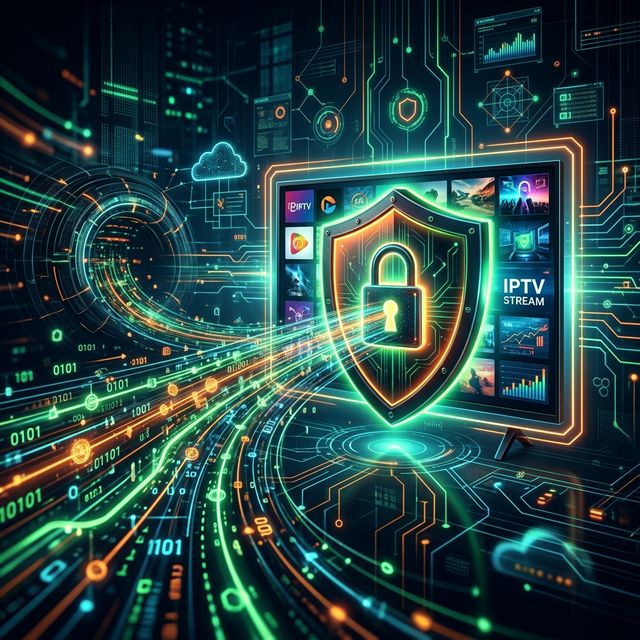
When discussing Internet Protocol Television (IPTV) in 2026, the conversation inevitably turns to one crucial piece of companion software: the Virtual Private Network, or VPN. For years, VPNs were considered an optional, luxury tool used only by hardcore tech enthusiasts or individuals highly concerned with digital privacy. Today, however, using a VPN alongside your IPTV subscription has transitioned from being an “optional extra” to an absolute necessity.
Whether you are suffering from relentless buffering during prime-time television, worrying about the legal gray areas of third-party streaming, or trying to access geo-blocked international content, a VPN is the ultimate problem-solver. This comprehensive guide will explain exactly how a VPN works, why your Internet Service Provider (ISP) is likely sabotaging your streaming experience, and how to choose the right VPN to guarantee flawless, secure IPTV playback.
The Number One Reason to Use a VPN: Defeating ISP Throttling
🔥 Stop Searching, Start Streaming!
Why settle for buffering and locked channels? Venom IPTV gives you access to 35,000+ premium channels, global sports in 4K, and a massive VOD library.
View Pricing PlansIf you have ever noticed that your IPTV service works perfectly on a Tuesday morning but buffers endlessly during a major Sunday night football match, Venom IPTV might not be the problem. The most likely culprit is your Internet Service Provider (ISP).
ISPs (such as Comcast, AT&T, BT, or Virgin Media) actively monitor the data flowing through their networks. Live video streaming consumes massive amounts of bandwidth. To prevent their networks from crashing during peak hours, ISPs employ a tactic known as “Bandwidth Throttling.” They use Deep Packet Inspection (DPI) to identify heavy streaming traffic. If they detect you are pulling massive data from known IPTV server IP addresses, they will intentionally choke your internet speed. Your 500 Mbps connection might be artificially reduced to 5 Mbps just for that specific video stream, resulting in the dreaded buffering circle.
How a VPN Stops Throttling Instantly: A VPN creates a secure, encrypted “tunnel” between your streaming device (like a Firestick) and the internet. When you turn on a VPN, your ISP can no longer see what type of data you are consuming or where it is coming from. All they see is a stream of encrypted, unreadable data going to a VPN server. Because they cannot identify the traffic as “IPTV video,” their automated systems cannot throttle it. By masking your activity, a VPN forces your ISP to give you the maximum internet speed you pay for, effectively curing 90% of prime-time buffering issues.
Protecting Your Digital Privacy and Security
The legal landscape surrounding IPTV in 2026 is highly complex and varies wildly depending on your geographical location. While the technology of IPTV itself is 100% legal, the content broadcasted by many third-party, budget providers may infringe on broadcasting copyrights.
ISPs are frequently pressured by massive media conglomerates and anti-piracy agencies to monitor their users and send out warning letters (often referred to as DMCA notices) if they detect unauthorized streaming. If you are watching a Pay-Per-View (PPV) event or premium sports through an unverified provider without protection, your real IP address is completely exposed.
A VPN completely hides your real IP address. When you connect to a VPN server, your internet traffic is routed through that server, masking your physical location and identity. To the outside world, and to your ISP, it appears as though the VPN server is the one accessing the internet, not your home router. This encryption ensures your viewing habits remain strictly private and anonymous.
Bypassing Geo-Blocks and Censorship
Many legitimate, legal IPTV services and streaming apps restrict their content based on geographical locations—a practice known as geo-blocking. For example, a specific sports broadcast might be free to watch on a UK-based app but completely blocked if you try to open the app in the United States. Furthermore, some ISPs aggressively block the URLs and portals of known IPTV services at the router level, meaning you cannot even load your channel list.
A premium VPN allows you to bypass these restrictions effortlessly. By simply opening your VPN app and selecting a server in a different country (e.g., connecting to a London server while sitting in New York), you instantly trick the app or website into thinking you are physically located in that region. This unlocks geo-restricted channels, bypasses ISP website blocks, and gives you truly unrestricted access to global television.
How to Choose the Best VPN for IPTV Streaming
Not all VPNs are created equal, and using a cheap or free VPN will actually make your IPTV experience worse. Free VPNs have severe data limits, overloaded servers, and incredibly slow speeds—which will guarantee buffering. When choosing a VPN specifically for 4K streaming in 2026, you must look for the following features:
- Blazing Fast Speeds (WireGuard Protocol): Video streaming requires speed. Look for VPNs that utilize the modern WireGuard protocol (or proprietary variations like NordLynx or Lightway). These protocols offer massive encryption without slowing down your internet speed.
- Large Server Networks: The VPN should have thousands of servers worldwide. The closer the VPN server is to your physical location, the faster your connection will be.
- Strict No-Logs Policy: Ensure the VPN company has a verified, independently audited “No-Logs” policy, meaning they do not record or store your browsing history.
- Native App Support: You need a VPN that offers a dedicated, easy-to-use application natively available on your streaming device, especially for the Amazon Fire TV Stick and Android TV (Google Play Store).
Top recommended VPNs for IPTV in 2026 include ExpressVPN, Surfshark, and IPVanish, all of which offer the speed and app infrastructure necessary for flawless streaming.
[!IMPORTANT] Ready to experience the ultimate TV package? Join over 12,000 satisfied customers who have switched to Venom IPTV. We offer dedicated 24/7 support, anti-freeze servers, and instant activation for all devices.
Frequently Asked Questions (FAQ)
Q: Will using a VPN slow down my internet speed? A: Technically, yes. The encryption process and the extra routing to the VPN server usually cause a 10% to 20% drop in maximum speed. However, if your ISP is throttling your IPTV traffic, turning on the VPN will actually increase your streaming speed by bypassing the throttle.
Q: Do I install the VPN on my router or my streaming device? A: Installing the VPN app directly onto your streaming device (like your Firestick or Android Box) is the easiest and most effective method for 99% of users. Installing a VPN at the router level protects your whole house but requires a highly advanced, expensive router to maintain fast speeds.
Q: Should I turn the VPN off when I am not watching IPTV? A: It is generally good practice to leave your VPN active to protect your overall digital privacy. However, if you are doing latency-sensitive tasks like competitive online gaming on a console, you may want to disable the VPN temporarily.
Conclusion
Streaming IPTV without a VPN in 2026 is a massive risk. Not only are you exposing your digital footprint and viewing habits to your Internet Service Provider, but you are also highly likely to suffer from artificial speed throttling and relentless buffering during the most important broadcasts. Investing in a premium, high-speed VPN is a mandatory step in building a reliable cord-cutting setup. It guarantees your privacy, maximizes your internet speed by defeating ISP interference, and ensures that your streaming experience remains flawless and uninterrupted.
Ready to Cut the Cord?
Experience premium IPTV with 35,000+ channels in 4K quality. No buffering, no contracts.
Get Started NowYou Might Also Like
How to Stop IPTV Buffering: The Ultimate 2026 Troubleshooting Guide
Fed up with IPTV buffering? Learn how to stop freezing instantly with our 2026 troubleshooting guide covering VPNs, router optimization, and TiviMate settings.
"My IPTV Keeps Buffering and I'm About to Cancel" — Read This Before You Do Anything
Why does IPTV keep freezing? Learn how to stop IPTV buffering instantly in 2026. Discover the real causes and the ultimate fix for TiviMate and Smarters.
How to Fix IPTV Buffering: The Ultimate Guide
Experiencing constant stuttering and buffering on your IPTV service? Follow these step-by-step solutions to guarantee a smooth, flawless streaming experience.